
Best AI Productivity Tolls
Staying productive in a fast-paced digital workplace is no longer about grinding longer hours—it is about working smarter with artificial intelligence. Finding the best AI productivity tools has become essential for entrepreneurs, remote workers, software engineers, and creative teams who want to reclaim hours of lost time every single week.
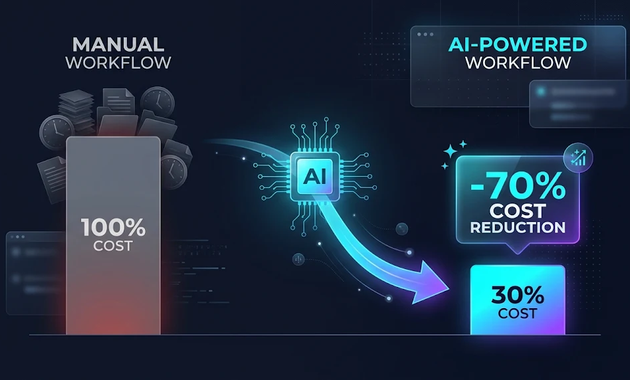
According to recent enterprise productivity reports, teams leveraging intelligent automation report up to a 40% reduction in mundane repetitive tasks. From auto-generating contextual meeting summaries to synthesizing complex code and managing personal schedules, today’s AI software has evolved far beyond basic chatbots.
In this tested guide, we evaluate and rank the best AI productivity tools available in 2026, breaking down their stand-out capabilities, real-world pricing, and ideal use cases.
What Makes an AI Tool Truly Productive?
Before adopting any new platform, evaluate how well it integrates into your existing routine. A superior AI productivity tool must satisfy four primary benchmarks:
- Seamless Workflow Integration: It must connect directly with your existing tech stack, such as Slack, Google Workspace, Microsoft 365, or Notion.
- Contextual Intelligence: It should retain conversational history and adapt to your team’s specific tone, formatting, and organizational guidelines.
- Low Latency and High Reliability: Waiting minutes for an output defeats the purpose of speed and efficiency.
- Enterprise-Grade Data Security: Strong encryption standards, SOC 2 compliance, and zero-data-retention guarantees for proprietary business information.
1. Notion AI: Best All-in-One AI Connected Workspace
[https://newslouds.com/wp-content/uploads/2026/11/notion-ai-productivity-dashboard.webp] Alt text: Notion AI workspace dashboard illustrating the best AI productivity tools for project management
Notion has evolved from a popular note-taking app into an autonomous organizational powerhouse. Powered by modern LLMs, Notion AI acts as an intelligent layer across your entire database, project boards, and wikis.
Key Capabilities
- Universal Search across Databases: Ask plain-English questions like “What was our Q3 marketing budget?” and receive sourced summaries instantly.
- Automated Meeting Action Items: Summarizes meeting transcripts and populates assigned tasks into relevant project boards automatically.
- On-the-Fly Document Drafting: Drafts blog posts, product specifications, and standard operating procedures (SOPs) within seconds.
- Pricing: Add-on to existing plans at $8 to $10 per member/month.
- Best For: Knowledge workers and product teams seeking a unified workspace.
2. Microsoft Copilot: Best Enterprise Productivity Suite
For organizations deeply entrenched in Word, Excel, PowerPoint, Teams, and Outlook, Microsoft Copilot represents the standard in office automation. It connects your organizational graph directly to frontier AI models.
Key Capabilities
- Spreadsheet Formula Generation: Analyze financial models and write complex formulas in Excel using natural language commands.
- Presentation Building: Convert a 20-page Word document into a formatted 10-slide PowerPoint presentation with matching styles.
- Inbox Triage: Drafts polite, context-aware email replies and synthesizes 50-message Outlook threads into three bullet points.
- Pricing: $30 per user/month (Microsoft 365 enterprise license required).
- Best For: Corporate enterprises and teams heavily reliant on Microsoft Office.
3. Otter.ai: Best AI Meeting Assistant and Transcription Engine
Endless virtual meetings are one of the biggest bottlenecks to daily focus. Otter.ai resolves this by acting as your dedicated executive assistant during Zoom, Google Meet, and Microsoft Teams sessions.
Key Capabilities
- Automated Meeting Presence: An OtterPilot bot joins calls even if you are double-booked, providing a full live transcript and executive summary.
- Chat with Your Meeting: Ask the AI questions regarding specific deadlines or agreements mentioned 45 minutes into a conversation.
- Automated Slide Captures: Snaps photos of presentation slides shared during meetings and embeds them chronologically into the transcript.
- Pricing: Free tier available; Pro starts at $10/month.
- Best For: Remote managers, sales reps, and executive directors.
4. Claude by Anthropic: Best AI Tool for Deep Analysis and Complex Writing
When your daily tasks require deep nuance, code architecture, or reading through 100-page research briefs, Anthropic’s Claude stands out for its high reasoning capabilities and generous context window.
Key Capabilities
- Massive 200k+ Token Context: Upload complete books, legal contracts, or technical documentation sets for immediate synthesis.
- Nuanced, Human Writing Tone: Produces balanced, persuasive essays and reports without repetitive buzzwords.
- Artifacts Interactive Workspace: Generates live interactive web snippets, SVG diagrams, and working code alongside your conversation.
- Pricing: Free plan; Claude Pro at $20/month.
- Best For: Researchers, copywriters, and technical analysts.
5. GitHub Copilot: Best AI Assistant for Software Developers
For engineering teams, GitHub Copilot remains one of the foundational AI productivity tools, speeding up software development cycles by auto-completing repetitive boilerplate syntax and providing unit test suites on demand.
Best AI Productivity Tools Key Capabilities
- Real-Time Code Completion: Suggests multi-line code blocks directly within VS Code, JetBrains, and Neovim.
- Copilot Chat in the IDE: Explains legacy code, diagnoses debugging stack traces, and refactors logic seamlessly.
- Automated Pull Request Summaries: Writes comprehensive change-logs for code reviews.
- Pricing: $10/month for individuals; $19/user/month for business teams.
- Best For: Programmers, DevOps specialists, and data scientists.
6. Zapier Central: Best for Autonomous Cross-App Automation
While traditional Zapier triggers basic “If This Then That” recipes, Zapier Central enables you to build custom AI assistants that interact directly with over 6,000 web applications.
Best AI Productivity Tools Key Capabilities
- Live System Integration: Connects Google Sheets, Hubspot, Slack, and Stripe without writing code.
- Data Retrieval and Action Triggers: Directs your assistant to monitor customer feedback and notify support managers when high-priority tickets arrive.
- Data Synchronization: Synchronizes customer entries across multiple CRM platforms automatically.
- Pricing: Free tier; premium tiers scale with task consumption.
- Best For: Operations leads, marketers, and no-code builders.
7. Motion: Best AI-Driven Calendar and Task Scheduling
Manual time-blocking can consume hours each week. Motion replaces static to-do lists with an autonomous calendar engine that automatically plans your daily schedule around project priorities.
Best AI Productivity Tools Key Capabilities
- Dynamic Calendar Re-Optimization: If an urgent meeting pops up, Motion automatically reschedules your remaining tasks without missing deadlines.
- Project and Task Management: Combines Kanban boards with task dependency chains and personal work hours.
- Meeting Booking Assistant: Custom booking links that adjust dynamically to preserve focus time blocks.
- Pricing: Individual plans from $19/month (billed annually); Team plans from $12/user/month.
- Best For: Freelancers, busy founders, and professionals balancing multiple high-priority projects.
8. Grammarly: Best Real-Time Communication and Tone Refinement
Polished professional communication builds trust. Grammarly’s generative AI features help eliminate grammatical errors, tone inconsistencies, and ambiguities across browsers, desktop apps, and email clients.
Key Capabilities of Best AI Productivity Tool
- Context-Aware Tone Adjustment: Shifts informal phrasing into clear, executive-ready communication.
- One-Click Email Composition: Writes relevant replies based on context directly inside Gmail and Outlook.
- Consistency Guardian: Enforces brand voice and company terminology across distributed remote teams.
- Pricing: Free version available; Premium starting at $12/month.
- Best For: Content creators, customer success specialists, and non-native English professionals.
9. Perplexity AI: Best Conversational Search Engine for Research
Traditional search engines often bury direct answers under sponsored links and SEO clutter. Perplexity AI provides synthesized, real-time answers with clear source citations for every stated claim.
Best AI Productivity Tools Key Capabilities
- Pro Search Multimodal Inquiries: Executes complex, multi-step queries while citing reputable research papers and official sites.
- Document and Data Analysis: Upload PDFs or spreadsheets to extract key data points without switching tabs.
- Focused Research Collections: Organize research topics into shared public or private workspaces.
- Pricing: Free version; Perplexity Pro at $20/month.
- Best For: Market analysts, journalists, students, and strategists.
10. Descript: Best AI Video and Audio Editing Tool
Creating podcasts, video explainers, and marketing snippets often requires complex video editing software. Descript simplifies audio and video production by letting you edit media like a text document.
Best AI Productivity Tools Key Capabilities Requirements
- Text-Based Video Editing: Cut video footage simply by deleting words in the auto-generated transcript.
- Overdub Voice Cloning: Fix misspoken words by typing the correct phrase to generate a matched voice replacement.
- Filler Word Removal: Eliminates “umms”, “ahhs”, and awkward pauses across your entire audio file with one click.
- Pricing: Free tier; Creator starts at $12/month.
- Best For: Podcasters, YouTubers, online educators, and video marketers.
Comparison Table: Best AI Productivity Tools at a Glance
| Tool | Core Category | Standout Feature | Free Tier? | Starting Price |
| Notion AI | Knowledge & Notes | Semantic workspace Q&A | Limited | $8/user/mo |
| Microsoft Copilot | Office Suite | Deep 365 suite integration | No | $30/user/mo |
| Otter.ai | Meetings & Notes | Live collaborative transcripts | Yes | $10/mo |
| Claude | Reasoning & Writing | 200k context & Artifacts | Yes | $20/mo |
| GitHub Copilot | Software Engineering | Real-time code suggestions | No | $10/mo |
| Zapier Central | App Automation | 6,000+ app AI agent actions | Yes | Pay-per-use |
| Motion | Smart Scheduling | Automatic schedule time-blocking | No | $19/mo |
| Grammarly | Writing & Editing | Tone refinement & inline drafts | Yes | $12/mo |
| Perplexity AI | Research & Search | Sourced real-time answers | Yes | $20/mo |
| Descript | Audio & Video | Text-based multimedia editing | Yes | $12/mo |
What are your best AI productivity tools used now?
How to Select the Right AI Productivity Stack
Adopting too many tools at once can create tool fatigue. To maximize your return on investment, take a strategic approach for Best AI Productivity Tools:
- Audit Your Weekly Time Sink: Track where your team loses the most hours (e.g., meetings, repetitive data entry, or copywriting) and automate that specific bottleneck first.
- Prioritize Native Integration: Choose tools that plug directly into your current operating systems, such as your existing cloud automation solutions or project trackers.
- Keep an Eye on Data Privacy: Ensure the provider maintains zero-training policies on private user inputs, especially for legal and proprietary data.
- Follow Emerging Tech: Keep track of latest tech trends to replace outdated single-purpose plugins with unified AI systems.
Frequently Asked Questions (FAQ)
What are the best AI productivity tools for beginners?
Notion AI, Grammarly, and Otter.ai are among the easiest tools to adopt. They feature intuitive interfaces, require zero coding knowledge, and integrate directly into web browsers and standard office workflows.
Can AI productivity tools completely replace human workers?
No. The primary role of AI software is task augmentation, not total replacement. These platforms handle repetitive administrative busywork, data compilation, and initial drafting, allowing human team members to focus on strategic decision-making and creative execution.
Are free AI productivity tools safe for sensitive company data?
Free consumer-tier AI tools may use prompt inputs to train foundational models unless you explicitly opt out. For sensitive corporate operations, look for enterprise-tier plans that guarantee SOC 2 compliance and zero data retention.
Conclusion
Finding the best AI productivity tools is no longer a luxury—it is a competitive necessity. Whether you want to automate calendar scheduling with Motion, synthesize meeting action points with Otter.ai, or coordinate knowledge management in Notion AI, deploying the right platform transforms personal and team efficiency.
Start by picking one high-friction task in your daily routine, test one of the recommended platforms today, and watch your daily productivity soar.